![UrbanSDK_primary_logo_horizontal_white.png]](https://urbansdk-9267502.hs-sites.com/hs-fs/hubfs/UrbanSDK_primary_logo_horizontal_white.png?height=40&name=UrbanSDK_primary_logo_horizontal_white.png)
1.0 Introduction
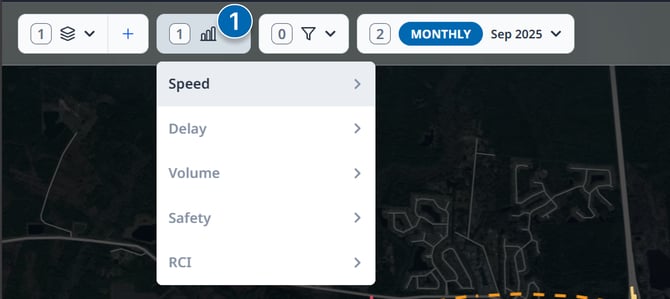
You can quickly change between Urban SDK metrics to visualize on the map by selecting the desired metric from the Metrics Dropdown.
2.0 Changing Map Metrics
For purchased Urban SDK Layers
- Click the Metrics Dropdown in the top Action Bar
- Choose a category of data and select the desired metric layer from the sub-list
- The map will change to the selected layer instantly